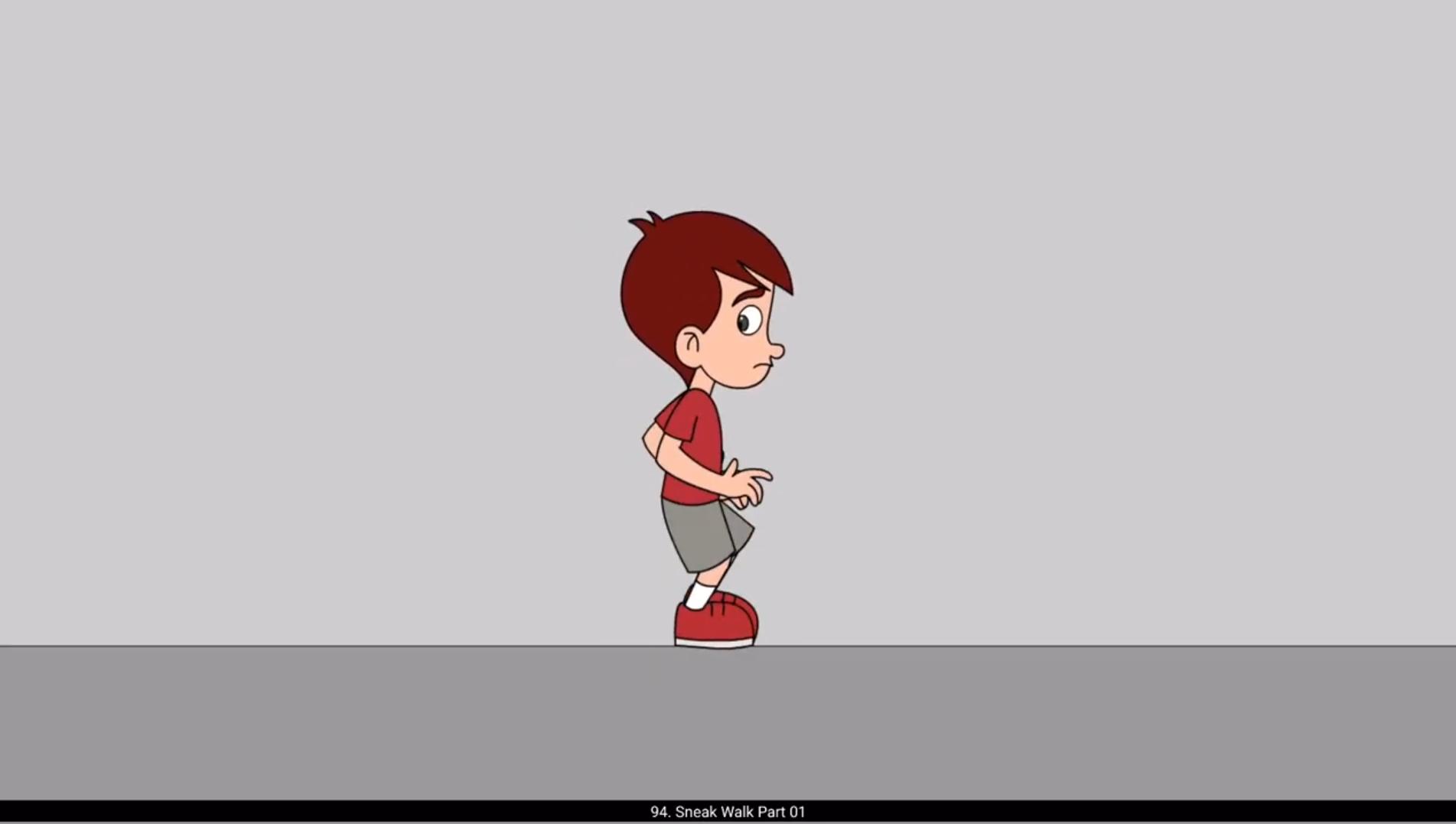
In this video we are going to animate a sneak walk. Please see the video and follow. We are now starting to draw the first key pose of our walk cycle. This walk is very slow compared to other works. Because this walk is slow in speed, we will have more key poses and in betweens in our animation, which means more drawings. We can usually see this type of walk in classical cartoons from Disney and Warner Brothers. Now that we have drawn our first pose, we will draw the next key pose on frame 25. We add a blank keyframe on frame 25. We then copy the head from frame one and paste it exactly in place using the shortcut control plus Shift V We then draw the pose with hands and legs flipped. Next, we add a blank keyframe on frame 13. Using F7. We draw the contact pose. Here the front leg will be flat on the ground. Notice how The head goes down in this pose. We can already see the arc in which the head will go down. tune into The hands will be like so. We then draw the contact pose on frame 37 with hands and legs flipped. We now move ahead to draw the passing positions on frame 19. We add a blank keyframe and start drawing. The head will start coming back in this pose. We then draw The passing pose for the other step with the hands and legs flipped. Please see the video and follow. We are now throwing the breakdown force between the passing poses on frame 19 and key pose on frame 31. We do the same on frame 53. Please follow the video carefully. Now we need another breakdown pose between the first key pose and the contact position. We draw this breakdown pose on frame 7. We then draw the same pose with hands and legs flipped on frame 36. We have now completed all the key poses for the sneak walk. In the next part we will vector and add tween to the animation. Hope you found this useful, thanks for watching. 😘😘😘😘😘😘😘😘😘😘😘😘😘😘😘😘😘😘😘😘😘😘😘😘😘😘😘😘😘😘😘😘😘😘😘😘😘😘😘😘 इस वीडियो में हम एक स्नीक वॉक को एनिमेट करने वाले हैं। प्लीज़ वीडियो देखें और फॉलो करें। अब हम अपने वॉक साइकिल का पहला की पोज़ ड्रॉ करना शुरू कर रहे हैं। यह वॉक बाकी वॉक्स के मुकाबले बहुत स्लो है। क्योंकि यह वॉक स्पीड में स्लो है, इसलिए हमारे एनिमेशन में ज्यादा की पोज़ और इन-बिट्वीन्स होंगे, जिसका मतलब है ज्यादा ड्रॉइंग्स। आमतौर पर इस तरह की वॉक हमें डिज़्नी और वॉर्नर ब्रदर्स के क्लासिकल कार्टून्स में देखने को मिलती है। अब जब हमने अपना पहला पोज़ ड्रॉ कर लिया है, तो हम अगला की पोज़ फ्रेम 25 पर ड्रॉ करेंगे। हम फ्रेम 25 पर एक ब्लैंक कीफ्रेम ऐड करते हैं। फिर हम फ्रेम 1 से हेड कॉपी करते हैं और कंट्रोल प्लस शिफ्ट वी शॉर्टकट का इस्तेमाल करके उसे बिल्कुल उसी जगह पेस्ट करते हैं। फिर हम हाथ और पैरों को फ्लिप करके पोज़ ड्रॉ करते हैं। इसके बाद हम फ्रेम 13 पर F7 का इस्तेमाल करके एक ब्लैंक कीफ्रेम ऐड करते हैं। हम कॉन्टैक्ट पोज़ ड्रॉ करते हैं। यहाँ फ्रंट लेग जमीन पर फ्लैट होगा। नोटिस करें कि इस पोज़ में हेड नीचे जाता है। हम पहले से ही वह आर्क देख सकते हैं जिसमें हेड नीचे जाएगा। हाथ कुछ इस तरह होंगे। फिर हम फ्रेम 37 पर हाथ और पैरों को फ्लिप करके कॉन्टैक्ट पोज़ ड्रॉ करते हैं। अब हम फ्रेम 19 पर पासिंग पोज़िशन ड्रॉ करने के लिए आगे बढ़ते हैं। हम एक ब्लैंक कीफ्रेम ऐड करते हैं और ड्रॉ करना शुरू करते हैं। इस पोज़ में हेड वापस ऊपर आना शुरू करेगा। फिर हम दूसरे स्टेप के लिए हाथ और पैरों को फ्लिप करके पासिंग पोज़ ड्रॉ करते हैं। प्लीज़ वीडियो देखें और फॉलो करें। अब हम फ्रेम 19 की पासिंग पोज़ और फ्रेम 31 की की पोज़ के बीच ब्रेकडाउन पोज़ डाल रहे हैं। हम यही प्रोसेस फ्रेम 53 पर भी करते हैं। प्लीज़ वीडियो को ध्यान से फॉलो करें। अब हमें पहले की पोज़ और कॉन्टैक्ट पोज़िशन के बीच एक और ब्रेकडाउन पोज़ चाहिए। हम यह ब्रेकडाउन पोज़ फ्रेम 7 पर ड्रॉ करते हैं। फिर हम वही पोज़ फ्रेम 36 पर हाथ और पैरों को फ्लिप करके ड्रॉ करते हैं। अब हमने स्नीक वॉक के सभी की पोज़ पूरे कर लिए हैं। अगले पार्ट में हम एनिमेशन को वेक्टर करेंगे और उसमें ट्वीन ऐड करेंगे। उम्मीद है आपको यह यूज़फुल लगा होगा, देखने के लिए धन्यवाद।