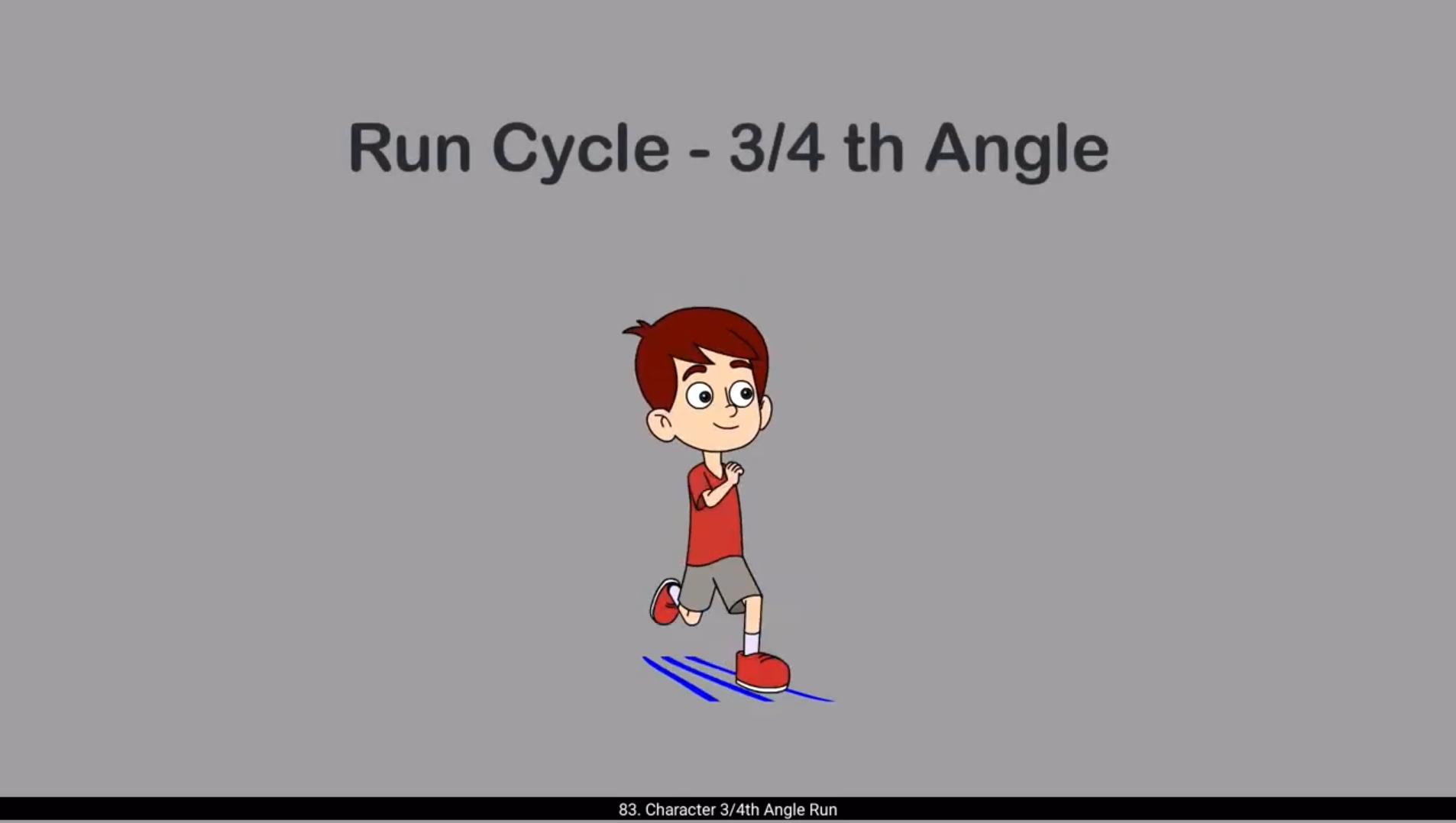
Hello students, and welcome to this exciting tutorial where we'll be learning how to animate Orvin's 3/4 run cycle in Adobe Animate. Let's begin with the basics. Since we don't have a background in our scene yet, the first thing we'll do is draw ground guidelines. This is very important not just for this run cycle, but for any walk or run animation.These guidelines help define the direction and perspective, making sure our character runs in a straight line and doesn't drift or float.Next we bring in our 3/4 angle vector symbol of Orvin. We created this in our previous tutorial, so make sure you've got that ready.Now comes the rough drawing phase. Take a look. I've started with the stretch pose rather than the usual contact pose, and that's perfectly fine. Unlike the walk cycle where we typically begin with a contact pose, in a three quarters angle run cycle you can actually start with any pose. What really matters is consistency in flow and structure throughout the sequence.Use ruler guides to mark key reference points.Like head height, foot placement, or hip line, this will help you maintain the character's position and proportion across all frames. Just like we did in our previous walk and run animations will ensure that the first and last pose are exactly the same to create a seamless loop. We're working on a 21 frame animation cycle, so at midpoint on frame 11, we'll add a keyframe that shows the opposite pose. If in frame one, the.Left hand and right leg are behind, then by frame 11 they should have moved to the front. This is the moment where the limbs swap rolls.Now let's talk about checking pose accuracy. This is where the Onion Skin tool becomes really handy. It lets us compare frames easily and refine motion flow. 😘 For instance, make sure both hands appear roughly similar in size. Don't worry if one hand isn't drawn in the very first pose because it's hidden behind the body. We'll animate that later during rigging. Compare the leg positions. Look at the right leg in frame one and the left leg in frame 11. They should move equally in opposite directions. If one leg seems off, you may need to scale or reposition it slightly. Since we're working in 3/4 view, one leg will naturally appear a bit behind the other. That's OK. Just be sure that they're spacing and trajectory feel balanced and believable.Observe the shoulders, especially if you're.Victor is wearing AV neck shirt like Orvin. In the first pose, the V-neck might face more toward the camera, but in the opposite pose it should twist slightly away. This adds A dynamic shoulder twist which helps convey body movement.And finally, pay attention to the head tilt. When one leg is lifted off the ground, the body's weight shifts to the other leg. The head should tilt slightly toward the supporting leg, suggesting balance and the influence of gravity.Now that we've set up our main keyframes, it's time to draw the in between pauses that complete the run cycle. These include up, down, passing, and stretch. Again, these poses are the backbone of your animation and there are some really important principles to keep in mind as we move forward. Let's begin with a fundamental rule. Always lean the characters body forward.Running is all about momentum if your character stands too straight.The motion feels static. A forward lean. Communicate speed, effort, and direction. When you're drawing stretched poses or push-off poses, make sure your character's legs should be fully extended. No bent knees here. 😘 Think of how your foot hits the ground when you run. There's a moment of strong contact and stretch. Keep the legs straight during that impact moment. Avoid adding any unnecessary bends or curves.Now, when you get into the down and passing poses, that's where your curves come in. Use flowing lines when there's joint rotation, like the knees bending or the elbows swinging. Avoid stiffness.Here's a subtle but powerful trick. When your character's foot leaves the ground, don't lift it all at once. Let the toes drag just a little behind before flicking off. That tiny delay makes the motion feel much more convincing.And don't forget the head. It's easy to accidentally freeze it in place, but in reality, the head bobs and tilts with every step. Let it move. It can tip slightly forward when landing or shift back a bit when pushing off. This adds life and subtle personality to the run.Another key principle, don't move everything at once. Introduce slight delays across different body parts. Maybe the arm swings before the shoulder turns or the hip shifts before the leg kicks. This kind of overlapping motion is what makes animation feel rich and believable. Speaking of overlap, think about counteractions and follow through. If your character is wearing loose clothing, has bulky muscles, or long hair, let these elements drag behind just a bit. When the character stops or turns, they should catch up with the main body. These little details give a sense of weight, softness, and Realism. Also make sure to exaggerate the vertical motion in your poses. When the character lands, the body should dip down. The knees compress, the torso sinks, and the neck shortened slightly. When the character pushes off, everything should rise. 😘 The legs stretch, the spine extends, and the neck becomes longer. This up and down motion reflects the real shifting of weight during a run.These are the guiding principles that will help you create strong, dynamic rough poses. Take your time with this phase. Make sure each drawing reflects motion, balance and timing. Once you're confident in your rough animation, then we'll move on to the next stage, animating the rigged character.I'll now go ahead and add some in between drawings to complete this run cycle and then we'll jump right into the exciting part bringing Orvin to life with clean rig based animation.Now we've added all the remaining rough drawings for our 3/4 run cycle and we are ready to see the full motion come together. All the rough drawing image files are available in the source material provided with this tutorial. You can download them and use them as a reference while animating. Now before we move forward, I made one important adjustment. I've altered the first stretch pose slightly.Specifically, I've moved the hands closer to the body.This makes the pose feel tighter and more natural for a run. I've also placed each pose neatly along the timeline. Each one is placed in the right frame, creating a proper rhythm for the animation.Now let's hit play and see how our rough run looks.It's working really well, the movement flows nicely and the spacing feels just right. Next, we'll begin matching our characters vector symbol to these rough poses. We'll start with the first rough pose, and this part of the tutorial is mostly visual, so watch closely. Pay attention to how I align each body part head.Torso limbs With the underlying sketch, it may seem tricky at first.But with a bit of practice, you'll find that it becomes faster and more intuitive. 😘 And that's it.The first pose is now traced. From here, I followed the same process for each of the remaining poses, matching, adjusting, and tracing the vector artwork according to the roughs. With that done, our entire run cycle is nearly complete.Now as you can see there are multiple ups and downs across different layers. That's because of how the characters limbs move in perspective, especially in a three quarters view. For example, in one pose the bicep appears in front of the forearm and hand, but in another it shifts behind the body.To manage this, I created new layers, leaving blank frames in the original layers when needed.Take the left hand for instance. In the 1st frame it's visible in front, but in the next it moves behind the body.So I created a new layer for that position and pasted the drawing there.Later, when it comes back in front, I return to the original layer, maintaining the illusion of depth and overlap.This layering technique is crucial in 3/4 angle animation. Without it, the illusion of depth breaks and the movement can start to look flat or inconsistent.Managing overlaps and separating foreground and background elements correctly helps your animation read more clearly. With all of this done, we've now covered every necessary pose and created a believable dynamic run cycle for the character.This is a simple yet effective method for building a three quarters view run cycle. It's a simple but powerful approach and once you get the hang of it, you'll be able to apply the same logic to many other animations as well. Hope you found this tutorial helpful and learned something new. Thanks for watching and see you in the next tutorial. 😘😘😘😘😘😘😘😘😘😘😘😘😘😘😘😘😘😘😘😘😘😘😘😘😘😘😘😘😘😘😘😘😘😘😘😘😘😘😘😘 हेलो स्टूडेंट्स, और इस एक्साइटिंग ट्यूटोरियल में आपका स्वागत है, जहाँ हम Adobe Animate में Orvin के 3/4 रन साइकिल को एनिमेट करना सीखेंगे। चलिए बेसिक्स से शुरू करते हैं। क्योंकि अभी हमारे सीन में कोई बैकग्राउंड नहीं है, इसलिए सबसे पहला काम जो हम करेंगे, वह है ग्राउंड गाइडलाइन्स ड्रॉ करना। यह सिर्फ इस रन साइकिल के लिए ही नहीं, बल्कि किसी भी वॉक या रन एनीमेशन के लिए बहुत ज़रूरी होता है। ये गाइडलाइन्स हमें डायरेक्शन और परस्पेक्टिव डिफाइन करने में मदद करती हैं, जिससे यह सुनिश्चित होता है कि हमारा कैरेक्टर सीधी लाइन में दौड़ रहा है और इधर-उधर ड्रिफ्ट या फ्लोट नहीं कर रहा। इसके बाद हम Orvin का 3/4 एंगल वाला वेक्टर सिम्बल इम्पोर्ट करते हैं। हमने इसे पिछले ट्यूटोरियल में बनाया था, इसलिए सुनिश्चित करें कि वह आपके पास रेडी हो। अब आता है रफ ड्रॉइंग फेज़। ज़रा ध्यान से देखें। यहाँ मैंने सामान्य कॉन्टैक्ट पोज़ की बजाय स्ट्रेच पोज़ से शुरुआत की है, और यह बिल्कुल ठीक है। वॉक साइकिल के विपरीत, जहाँ हम आमतौर पर कॉन्टैक्ट पोज़ से शुरू करते हैं, तीन-चौथाई एंगल के रन साइकिल में आप किसी भी पोज़ से शुरुआत कर सकते हैं। असली ज़रूरी चीज़ है पूरे सीक्वेंस में फ्लो और स्ट्रक्चर की कंसिस्टेंसी बनाए रखना। रूलर गाइड्स का इस्तेमाल करके कुछ अहम रेफरेंस पॉइंट्स मार्क करें, जैसे हेड की हाइट, फुट प्लेसमेंट या हिप लाइन। इससे आपको सभी फ्रेम्स में कैरेक्टर की पोज़िशन और प्रपोर्शन में कंसिस्टेंसी बनाए रखने में मदद मिलेगी। बिल्कुल वैसे ही जैसे हमने अपने पिछले वॉक और रन एनीमेशन में किया था, हमें यह भी सुनिश्चित करना है कि पहला और आख़िरी पोज़ एक-जैसा हो, ताकि लूप पूरी तरह स्मूद बने। हम 21 फ्रेम्स के एनीमेशन साइकिल पर काम कर रहे हैं, इसलिए मिडपॉइंट यानी फ्रेम 11 पर हम एक कीफ्रेम जोड़ेंगे, जो अपोज़िट पोज़ को दिखाएगा। अगर फ्रेम वन में लेफ्ट हैंड और राइट लेग पीछे हैं, तो फ्रेम 11 तक वे आगे आ जाने चाहिए। यही वह मोमेंट है जहाँ लिम्ब्स अपनी रोल्स स्वैप करते हैं। अब बात करते हैं पोज़ की एक्युरेसी चेक करने की। यहीं पर Onion Skin टूल बहुत काम आता है। यह हमें अलग-अलग फ्रेम्स को आसानी से कंपेयर करने देता है और मोशन फ्लो को और बेहतर तरीके से रिफाइन करने में मदद करता है। 😘 उदाहरण के लिए, यह सुनिश्चित करें कि दोनों हाथ लगभग एक-जैसे साइज में दिखाई दें। अगर पहले पोज़ में कोई एक हाथ ड्रॉ नहीं हुआ है क्योंकि वह बॉडी के पीछे छुपा हुआ है, तो उसकी चिंता न करें। हम उसे बाद में रिगिंग के दौरान एनिमेट कर लेंगे। अब लेग पोज़िशन की तुलना करें। फ्रेम वन में राइट लेग को देखें और फ्रेम 11 में लेफ्ट लेग को देखें। दोनों को बराबर मात्रा में, लेकिन एक-दूसरे की उलटी दिशा में मूव करना चाहिए। अगर कोई एक लेग थोड़ा ऑफ लग रहा है, तो आपको उसे हल्का-सा स्केल या री-पोज़िशन करना पड़ सकता है। क्योंकि हम 3/4 व्यू में काम कर रहे हैं, एक लेग नैचुरली दूसरे के पीछे थोड़ा दिखाई देगा, और यह बिल्कुल ठीक है। बस यह ध्यान रखें कि उनकी स्पेसिंग और ट्रैजेक्टरी बैलेंस्ड और भरोसेमंद महसूस हो। अब शोल्डर्स को ऑब्ज़र्व करें, खासकर अगर आपका कैरेक्टर Orvin की तरह V-नेक शर्ट पहने हुए है। पहले पोज़ में V-नेक कैमरे की तरफ़ ज़्यादा फेस कर सकता है, लेकिन अपोज़िट पोज़ में उसे हल्का-सा दूसरी तरफ़ ट्विस्ट होना चाहिए। इससे शोल्डर्स में एक डायनेमिक ट्विस्ट आता है, जो बॉडी मूवमेंट को और बेहतर तरीके से दिखाता है। अंत में हेड टिल्ट पर ध्यान दें। जब एक पैर ज़मीन से ऊपर उठता है, तो बॉडी का वज़न दूसरे पैर पर शिफ्ट होता है। ऐसे में सिर को हल्का-सा सपोर्टिंग लेग की तरफ़ झुकना चाहिए, जिससे बैलेंस और ग्रैविटी का असर साफ़ नज़र आए। अब जब हमने मेन की-फ्रेम्स सेट कर लिए हैं, तो रन साइकिल को पूरा करने के लिए इन-बिटवीन पोज़ ड्रॉ करने का समय आ गया है। इनमें अप, डाउन, पासिंग और स्ट्रेच पोज़ शामिल हैं। ये पोज़ आपकी एनीमेशन की रीढ़ होते हैं, और आगे बढ़ते समय कुछ बहुत ज़रूरी प्रिंसिपल्स को ध्यान में रखना चाहिए। चलिए एक फ़ंडामेंटल रूल से शुरू करते हैं। हमेशा कैरेक्टर की बॉडी को थोड़ा आगे की तरफ़ झुकाएँ। रनिंग पूरी तरह मोमेंटम पर आधारित होती है। अगर आपका कैरेक्टर बहुत सीधा खड़ा रहेगा, तो मूवमेंट स्टैटिक लगेगा। फॉरवर्ड लीन स्पीड, एफर्ट और डायरेक्शन को कम्यूनिकेट करता है। जब आप स्ट्रेच पोज़ या पुश-ऑफ पोज़ ड्रॉ कर रहे हों, तो यह सुनिश्चित करें कि कैरेक्टर के पैर पूरी तरह एक्सटेंडेड हों। यहाँ घुटने मुड़े हुए नहीं होने चाहिए। 🥲😘 यह सोचिए कि जब आप दौड़ते समय आपका पैर ज़मीन से टकराता है, तो क्या होता है। उस पल में ज़मीन के साथ एक मज़बूत कॉन्टैक्ट और स्ट्रेच होता है। उस इम्पैक्ट मोमेंट के दौरान पैरों को सीधा रखें। किसी भी तरह के अनावश्यक मोड़ या कर्व जोड़ने से बचें। अब जब आप डाउन और पासिंग पोज़ में आते हैं, तभी कर्व्स का इस्तेमाल करें। जहाँ जॉइंट रोटेशन होता है, जैसे घुटनों का मुड़ना या कोहनियों का स्विंग करना, वहाँ फ्लोइंग लाइन्स का उपयोग करें। स्टिफ़नेस से बचें। यहाँ एक छोटा लेकिन बहुत पावरफुल ट्रिक है। जब कैरेक्टर का पैर ज़मीन छोड़ता है, तो उसे एकदम से ऊपर मत उठाइए। उँगलियों को थोड़ा-सा पीछे ड्रैग होने दें और फिर उन्हें फ्लिक होने दें। यह छोटी-सी देरी मूवमेंट को कहीं ज़्यादा भरोसेमंद और नैचुरल बना देती है। और हेड को भूलिए मत। अक्सर गलती से सिर को एक जगह फ्रीज़ कर दिया जाता है, लेकिन असल ज़िंदगी में हर स्टेप के साथ सिर हल्का-सा ऊपर-नीचे और साइड में मूव करता है। उसे मूव करने दें। लैंडिंग के समय वह थोड़ा आगे की तरफ़ झुक सकता है और पुश-ऑफ के समय थोड़ा पीछे की तरफ़ शिफ्ट हो सकता है। इससे रन में लाइफ़ और हल्की-सी पर्सनैलिटी जुड़ती है। एक और अहम प्रिंसिपल है, सब कुछ एक साथ मूव मत कराइए। अलग-अलग बॉडी पार्ट्स में हल्की-हल्की देरी रखें। हो सकता है कि आर्म का स्विंग शोल्डर के घूमने से पहले शुरू हो, या हिप का शिफ्ट लेग के किक करने से पहले आए। इस तरह का ओवरलैपिंग मोशन ही एनीमेशन को रिच और बिलीवेबल बनाता है। ओवरलैप की बात करते हुए, काउंटर एक्शन और फॉलो थ्रू को भी ध्यान में रखें। अगर आपका कैरेक्टर ढीले कपड़े पहन रहा है, उसके मसल्स भारी हैं, या बाल लंबे हैं, तो इन एलिमेंट्स को थोड़ा-सा पीछे ड्रैग होने दें। जब कैरेक्टर रुकता है या मुड़ता है, तो ये पार्ट्स मेन बॉडी के बाद आकर सेटल होने चाहिए। ये छोटे-छोटे डिटेल्स वज़न, सॉफ्टनेस और रियलिज़्म का एहसास देते हैं। साथ ही, अपने पोज़ में वर्टिकल मोशन को एक्सैजरेट करना न भूलें। जब कैरेक्टर लैंड करता है, तो बॉडी को नीचे की तरफ़ डिप करना चाहिए। घुटने कंप्रेस होते हैं, धड़ नीचे जाता है और गर्दन थोड़ी-सी छोटी दिखाई देती है। और जब कैरेक्टर पुश-ऑफ करता है, तो सब कुछ ऊपर की तरफ़ उठना चाहिए। 😘 पैर पूरी तरह स्ट्रेच होते हैं, स्पाइन एक्सटेंड होती है और गर्दन लंबी दिखाई देती है। यह ऊपर-नीचे की मूवमेंट रन के दौरान वज़न के असली शिफ्ट को दर्शाती है। यही वे गाइडिंग प्रिंसिपल्स हैं जो आपको मज़बूत और डायनेमिक रफ पोज़ बनाने में मदद करेंगे। इस फेज़ में समय लें। यह सुनिश्चित करें कि हर ड्रॉइंग में मोशन, बैलेंस और टाइमिंग साफ़ नज़र आए। जब आप अपनी रफ एनीमेशन से कॉन्फिडेंट हो जाएँ, तब हम अगले स्टेज पर बढ़ेंगे, यानी रिग किए हुए कैरेक्टर को एनिमेट करना। अब मैं इस रन साइकिल को पूरा करने के लिए कुछ इन-बिटवीन ड्रॉइंग्स जोड़ूँगा और फिर सीधे उस एक्साइटिंग पार्ट में जाएंगे जहाँ हम ओरविन को क्लीन, रिग-बेस्ड एनीमेशन के साथ ज़िंदा करेंगे। अब हमने अपने 3/4 रन साइकिल के लिए सभी बाकी रफ ड्रॉइंग्स जोड़ दी हैं और पूरा मोशन देखने के लिए तैयार हैं। इस ट्यूटोरियल के साथ दिए गए सोर्स मटेरियल में सभी रफ ड्रॉइंग इमेज फ़ाइल्स उपलब्ध हैं। आप उन्हें डाउनलोड करके एनिमेशन करते समय रेफरेंस के तौर पर इस्तेमाल कर सकते हैं। आगे बढ़ने से पहले मैंने एक ज़रूरी एडजस्टमेंट किया है। मैंने पहले वाले स्ट्रेच पोज़ में हल्का-सा बदलाव किया है। खास तौर पर, मैंने हाथों को शरीर के थोड़ा और पास लाया है। इससे पोज़ ज़्यादा टाइट और रन के लिए ज़्यादा नैचुरल लगता है। मैंने हर पोज़ को टाइमलाइन पर सही तरीके से प्लेस किया है, ताकि एनीमेशन का रिदम सही बने। अब चलिए प्ले दबाते हैं और देखते हैं कि हमारा रफ रन कैसा लग रहा है। यह काफ़ी अच्छा काम कर रहा है, मूवमेंट स्मूद है और स्पेसिंग भी बिल्कुल सही महसूस हो रही है। अब हम अपने कैरेक्टर के वेक्टर सिंबल को इन रफ पोज़ से मैच करना शुरू करेंगे। हम पहले रफ पोज़ से शुरुआत करेंगे, और ट्यूटोरियल का यह हिस्सा ज़्यादातर विज़ुअल है, इसलिए ध्यान से देखें। ध्यान दें कि मैं हर बॉडी पार्ट—हेड, टॉर्सो और लिम्ब्स—को नीचे बने स्केच के साथ कैसे अलाइन करता हूँ। शुरुआत में यह थोड़ा ट्रिकी लग सकता है, लेकिन थोड़ी प्रैक्टिस के साथ यह प्रोसेस तेज़ और ज़्यादा इंट्यूटिव हो जाएगा। 😘 और बस इतना ही। पहला पोज़ अब ट्रेस हो चुका है। इसके बाद मैंने बाकी सभी पोज़ के लिए भी यही प्रोसेस फॉलो किया—रफ ड्रॉइंग्स के अनुसार वेक्टर आर्टवर्क को मैच करना, एडजस्ट करना और ट्रेस करना। यह सब पूरा होने के बाद हमारा पूरा रन साइकिल लगभग तैयार हो चुका है। अब जैसा कि आप देख सकते हैं, अलग-अलग लेयर्स में कई अप्स और डाउन हैं। ऐसा इसलिए है क्योंकि थ्री क्वार्टर व्यू में कैरेक्टर के लिम्ब्स परस्पेक्टिव में मूव करते हैं। उदाहरण के लिए, किसी एक पोज़ में बाइसेप फोरआर्म और हाथ के सामने दिखाई देता है, लेकिन किसी दूसरे पोज़ में वही बाइसेप बॉडी के पीछे चला जाता है। इसे मैनेज करने के लिए मैंने नए लेयर्स बनाए और ज़रूरत पड़ने पर ओरिजिनल लेयर्स में ब्लैंक फ्रेम्स छोड़े। जैसे कि लेफ्ट हैंड को ही ले लीजिए। पहले फ्रेम में वह सामने दिखाई देता है, लेकिन अगले फ्रेम में वह बॉडी के पीछे चला जाता है। इसलिए मैंने उस पोज़ के लिए एक नया लेयर बनाया और ड्रॉइंग को वहाँ पेस्ट कर दिया। बाद में जब हाथ फिर से सामने आता है, तो मैं दोबारा ओरिजिनल लेयर पर लौट आता हूँ। इससे डेप्थ और ओवरलैप का इल्यूज़न बना रहता है। यह लेयरिंग टेक्नीक थ्री क्वार्टर एंगल एनीमेशन में बहुत ज़रूरी होती है। इसके बिना डेप्थ का एहसास टूट जाता है और मूवमेंट फ्लैट या इनकंसिस्टेंट लगने लगता है। ओवरलैप्स को सही तरीके से मैनेज करना और फोरग्राउंड व बैकग्राउंड एलिमेंट्स को अलग-अलग रखना आपकी एनीमेशन को ज़्यादा क्लियर और रीडेबल बनाता है। यह सब करने के बाद, अब हमने हर ज़रूरी पोज़ कवर कर लिया है और कैरेक्टर के लिए एक भरोसेमंद और डायनेमिक रन साइकिल तैयार कर लिया है। यह थ्री क्वार्टर व्यू रन साइकिल बनाने का एक सिंपल लेकिन इफेक्टिव तरीका है। यह अप्रोच दिखने में आसान है, लेकिन काफी पावरफुल है, और एक बार जब आपको इसकी आदत हो जाए, तो आप इसी लॉजिक को कई दूसरी एनीमेशन पर भी आसानी से अप्लाई कर पाएँगे। उम्मीद है आपको यह ट्यूटोरियल पसंद आया होगा और आपने कुछ नया सीखा होगा। देखने के लिए धन्यवाद और अगले ट्यूटोरियल में मिलते हैं।